Project tracking for effortless task management
DeskTime's project tracking shows you exactly how much time each project consumes, how productive your team is within those hours, and where time is being lost across multiple concurrent projects. So managers can act on data, not assumptions.
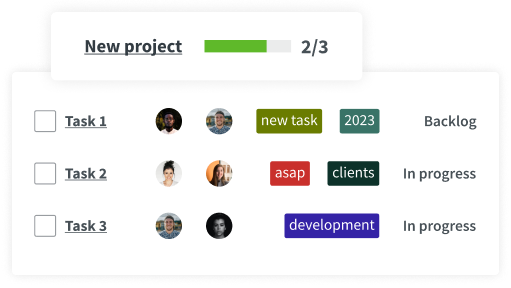
TL;DR: DeskTime project tracking shows how much time is spent on each project or task. You can create projects and tasks manually, or connect DeskTime with tools like Jira, Trello, Google Calendar and others; and employees can then track time within a specific project. This will allow you to better estimate project costs and manage employee workload.
How does project tracking with DeskTime work?
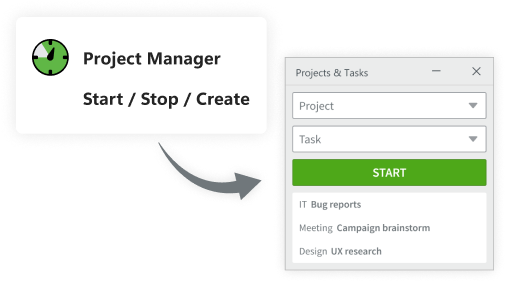
Enter projects/tasks into the Projects section – add hourly rates, descriptions, and more.
Find the necessary project/task and press “Start” to assign tracked time to it.
DeskTime connects with various apps – no need to create projects from scratch.
Start tracking project time and enjoy these benefits
Whether you're managing a small team or multiple departments, project tracking helps you keep up with progress, responsibilities, and time spent.
Let project tracking take your mind off of these concerns
Don’t take our word for it
Want to hear from our users? Discover their reviews on G2.
How DeskTime works
With DeskTime, you can see your employees' arrival and departure times, analyze their productivity, schedule shifts, oversee absences, maintain a healthy work-life balance, keep track of specific projects, and more.
Highly rated and globally trusted
Explore more features
Frequently asked questions about project tracking
With DeskTime, each project gets its own tracked time total, broken down by team member and task. Managers can compare productivity percentages across projects side by side, spotting which projects are consuming disproportionate hours relative to their scope.
For a business running 5 to 10 concurrent client projects, this typically reveals 1 or 2 projects where actual hours are running 25 to 40% above estimates, early enough to adjust resourcing before the budget is blown.
Try free for 14 days. No credit card required.
Forget manual entries and distractions. With DeskTime, time tracking runs on autopilot—zero effort needed.